
How did we get here?
I’ve always been a community builder and marketer—not a software engineer. My skill set revolves around rallying people, crafting incentives, and nurturing engagement, especially within blockchain and web3 communities. However, one recurring challenge continuously slowed me down: limited developer resources. The talented blockchain developers I collaborate with naturally focus their energy on core protocol development, not on community-focused features like leaderboards or mini-games.
Driven by necessity—and perhaps a touch of stubbornness—I decided it was time to bridge this gap myself. Rather than waiting for developer availability, I jumped into learning game development firsthand. Today, I’m excited to publicly share the fruits of my initial experimentation: Cyber West, a scrappy yet functional proof-of-concept game built with Phaser 3.
This is my first step toward a much larger vision: a community-driven Telegram bot game called zkbrawl, designed to turn chatrooms into engaging wild west shootouts, complete with blockchain-powered incentives and zkproof-driven randomness. Cyber West represents the early, tentative crawl toward that goal—an exploration into moving community interaction beyond Telegram and into the broader web.
Here’s exactly how I built Cyber West, including the code and insights I’ve gathered so far.
Why Phaser?
I selected Phaser 3 because it’s beginner-friendly yet powerful enough for quick prototyping. Its clear documentation and supportive community made it ideal for someone without extensive dev experience.
Setting Up the Project (index.html)
Everything starts with a basic HTML file to load Phaser, our scenes, and provide error handling.
Example (simplified):
htmlCopyEdit<!DOCTYPE html>
<html>
<head>
  <meta charset="utf-8">
  <title>Cyber West</title>
</head>
<body>
  <div id="game-container"></div>

  <!-- Load Phaser from CDN -->
  https://cdn.jsdelivr.net/npm/phaser@3.55.2/dist/phaser.min.js

  <!-- Load scenes -->
  http://js/scenes/Boot.js
  http://js/scenes/Preload.js
  http://js/scenes/MainMenu.js
  http://js/scenes/Gameplay.js

  <!-- Load config and initialize game -->
  http://js/config.js
  http://js/main.js
</body>
</html>
Initializing the Game (main.js & config.js)
I set up the main game configuration to handle physics, rendering, and scenes:
javascriptCopyEditconst config = {
  type: Phaser.AUTO,
  width: 800,
  height: 600,
  scene: [Boot, Preload, MainMenu, Gameplay],
  physics: {
    default: 'arcade',
    arcade: {
      gravity: { y: 300 },
      debug: false
    }
  },
  parent: 'game-container'
};

window.addEventListener('load', function() {
  const game = new Phaser.Game(config);
});
Scene Architecture and Workflow
I chose a straightforward scene workflow:
- Boot Scene (initialize settings)
- Preload Scene (load assets)
- MainMenu Scene (display game menu)
- Gameplay Scene (core game loop)
Boot Scene (Boot.js)
This scene initializes global settings and immediately moves to asset loading.
javascriptCopyEditclass Boot extends Phaser.Scene {
  constructor() {
    super({ key: 'Boot' });
  }

  create() {
    this.registry.set('gameSettings', { score: 0 });
    this.scene.start('Preload');
  }
}

window.Boot = Boot;
Preloading Assets and Handling Fallbacks (Preload.js)
Given limited resources, I created programmatic placeholders to ensure smooth gameplay even if real assets fail:
javascriptCopyEditclass Preload extends Phaser.Scene {
  preload() {
    this.createPlaceholderTextures();

    // Load real assets
    this.load.image('player', '../sprite1.webp');
    this.load.image('bandit', '../sprite2.webp');

    // If real assets fail, Phaser defaults to placeholders
    this.load.on('complete', () => this.scene.start('MainMenu'));
  }

  createPlaceholderTextures() {
    let graphics = this.add.graphics();
    graphics.fillStyle(0x00ff00).fillRect(0, 0, 32, 32);
    graphics.generateTexture('player', 32, 32);
    graphics.clear();

    graphics.fillStyle(0xff0000).fillRect(0, 0, 32, 32);
    graphics.generateTexture('bandit', 32, 32);
    graphics.clear();
  }
}

window.Preload = Preload;
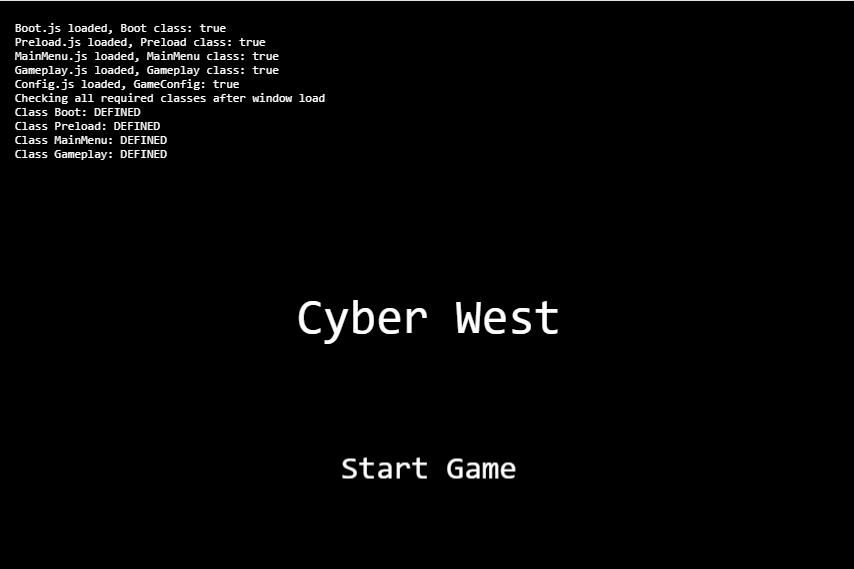
Simple Main Menu (MainMenu.js)
A minimalistic start screen gets users quickly into gameplay:
javascriptCopyEditclass MainMenu extends Phaser.Scene {
  create() {
    const startButton = this.add.text(400, 300, 'Start Game', { font: '32px monospace' })
      .setOrigin(0.5)
      .setInteractive()
      .on('pointerdown', () => this.scene.start('Gameplay'));
  }
}

window.MainMenu = MainMenu;
Core Gameplay (Gameplay.js)
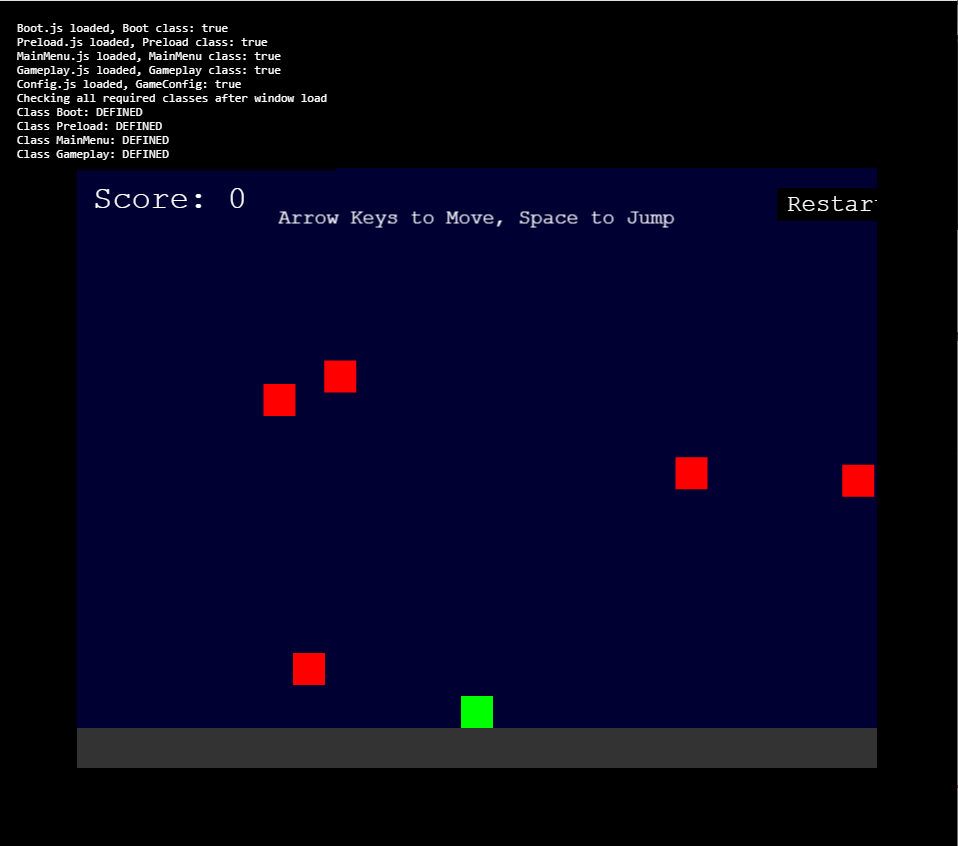
The gameplay logic handles player interactions, enemy spawning, collision detection, and scoring:
javascriptCopyEditclass Gameplay extends Phaser.Scene {
  create() {
    // Player setup
    this.player = this.physics.add.sprite(400, 500, 'player');
    this.player.setCollideWorldBounds(true);

    // Enemy group
    this.enemies = this.physics.add.group({
      key: 'bandit',
      repeat: 4,
      setXY: { x: 100, y: 0, stepX: 150 }
    });

    this.physics.add.collider(this.enemies);
    this.physics.add.overlap(this.player, this.enemies, this.hitEnemy, null, this);

    this.score = 0;
    this.scoreText = this.add.text(16, 16, 'Score: 0', { fontSize: '32px', fill: '#fff' });

    // Controls
    this.cursors = this.input.keyboard.createCursorKeys();
  }

  update() {
    if (this.cursors.left.isDown) {
      this.player.setVelocityX(-160);
    } else if (this.cursors.right.isDown) {
      this.player.setVelocityX(160);
    } else {
      this.player.setVelocityX(0);
    }

    if (this.cursors.up.isDown && this.player.body.touching.down) {
      this.player.setVelocityY(-330);
    }
  }

  hitEnemy(player, enemy) {
    enemy.disableBody(true, true);
    this.score += 10;
    this.scoreText.setText('Score: ' + this.score);

    if (this.enemies.countActive(true) === 0) {
      this.enemies.children.iterate(child => {
        child.enableBody(true, Phaser.Math.Between(50, 750), 0, true, true);
      });
    }
  }
}

window.Gameplay = Gameplay;
Lessons Learned & Next Steps
Even in this early stage, I’ve learned key lessons:
- Handling asset fallbacks gracefully is crucial.
- Phaser’s structured scenes simplify iteration.
- Basic physics and collision detection add depth quickly.
Looking ahead, Cyber West will evolve significantly. Future plans include:
- Advanced enemy AI and improved animations.
- Real sprites to replace placeholders.
- Integration with on-chain events and leaderboards for a seamless blockchain experience.
- Enhanced user experience tailored to community interaction.
Join the Journey
Cyber West is just the beginning. It marks the first public step toward my broader vision for zkbrawl—a community-driven, blockchain-integrated experience inspired by the fun, chaotic, and engaging bulletin board system games of my past.
I invite you to explore Cyber West, follow along as it grows, and perhaps even build something alongside me. If a marketer like myself can get this far with just scrappiness and determination, imagine what we can achieve together.
Stay tuned for more—and welcome to the adventure.
 A.M. Faulkner